AR/VR Experiences
Immersive Augmented & Virtual Reality
Create unforgettable interactive experiences that transport your audience to new dimensions with cutting-edge AR and VR technology tailored to your objectives. For shared, walk-up moments without a headset, see also Holobox and exhibition visual tech.
AR/VR Capabilities
Cutting-edge immersive technology solutions
Virtual Reality Environments
Fully immersive VR experiences that transport users to new worlds and environments.
AR Mobile Applications
Augmented reality apps that overlay digital content on the real world.
Interactive Experiences
Gamified experiences that engage users and drive meaningful interactions.
Training Simulations
Realistic training environments for industrial, medical, and corporate use.
Custom Development
Tailored AR/VR solutions designed specifically for your brand and objectives.
Multi-User Experiences
Collaborative VR environments where multiple users can interact together.
Our Process
From idea to immersive experience
Discovery
Understand goals and requirements
Design
UX/UI and experience design
Development
Build and iterate the experience
Deployment
Launch and ongoing support
Perfect For
Industries transformed by AR/VR
Education & Training
Interactive learning experiences, virtual labs, and skill-building simulations.
Real Estate
Virtual property tours and architectural visualizations before construction.
Retail & E-Commerce
Virtual try-ons, product visualizations, and immersive shopping experiences.
Tourism & Culture
Virtual tours of destinations, museums, and historical sites.
Healthcare
Medical training, patient education, and therapeutic VR experiences.
Entertainment
Gaming, virtual concerts, and immersive storytelling experiences.
Technical Capabilities
Professional development and platforms
Related Case Studies
Projects we have delivered for clients across the UAE
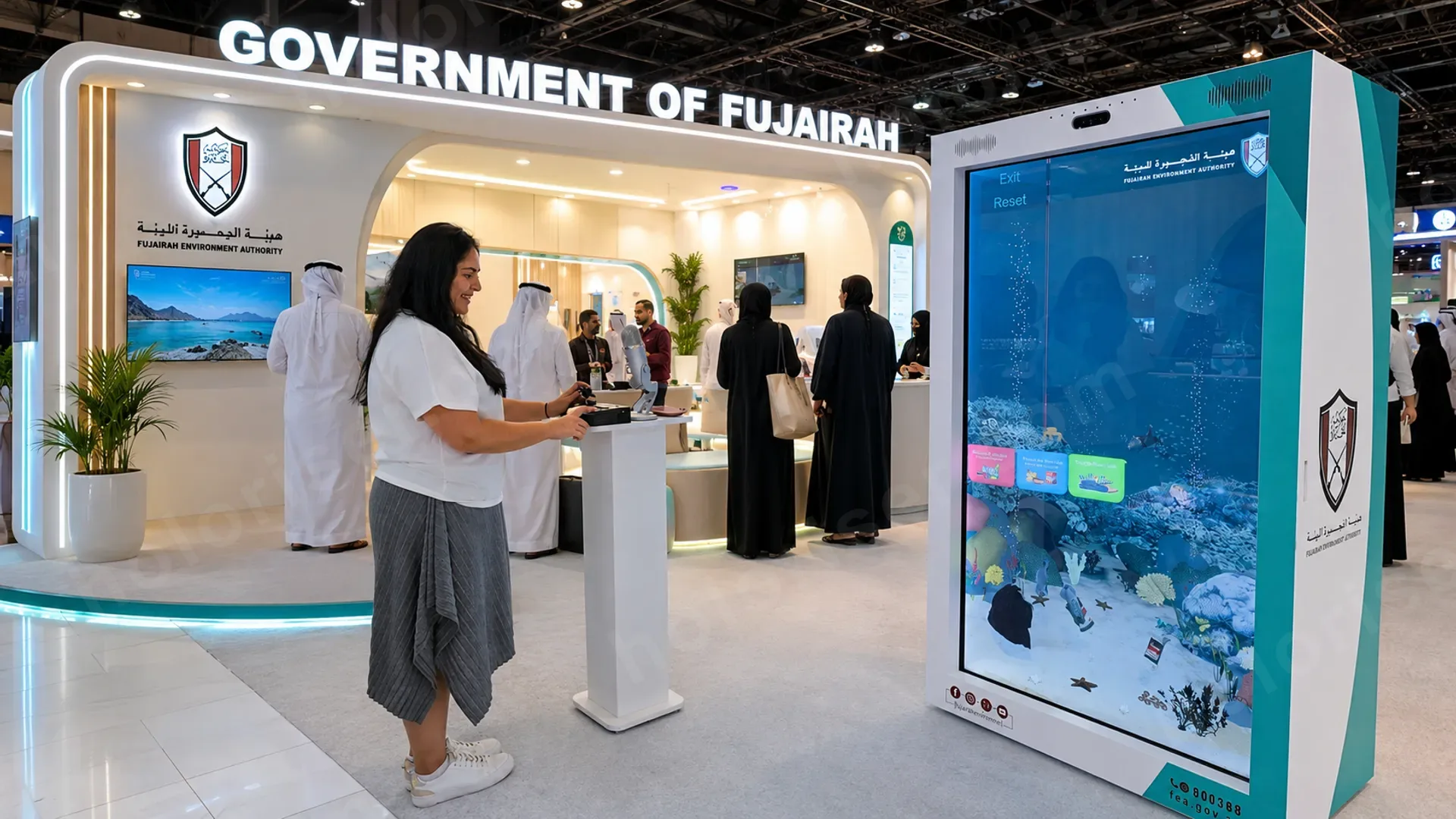
Sea-Bed Cleanup Game
A 3D interactive game on Holobox for FEA. Using a joystick and a virtual claw, players collect and sort trash from the sea bed off Fujairah, and watch marine life return as the water gets cleaner.
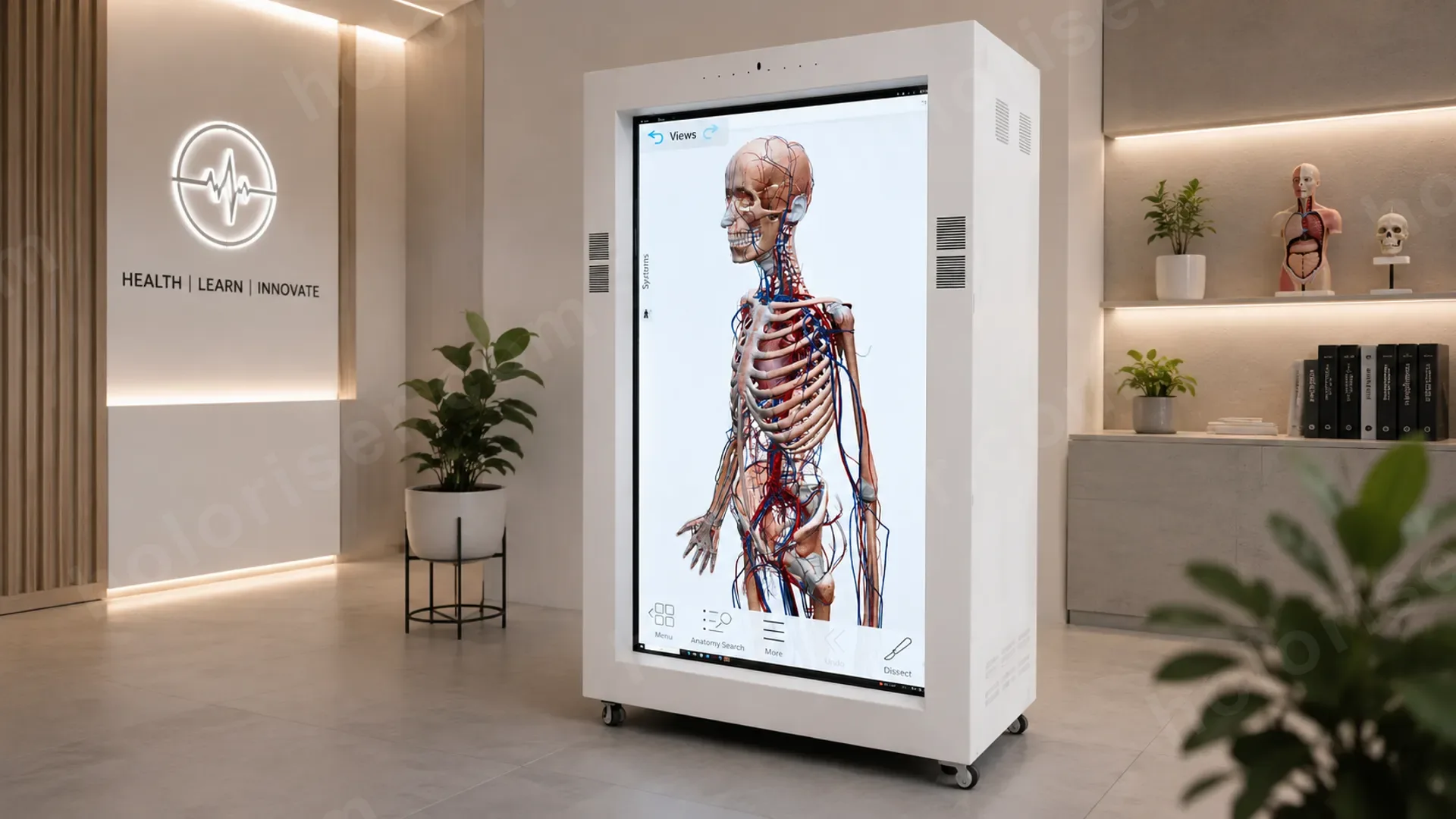
3D Medical Education on Holobox
A 3D medical experience on Holobox that displays the full human body for students and trainees. Built on specialised medical software with accurate anatomy provided by a medical partner.
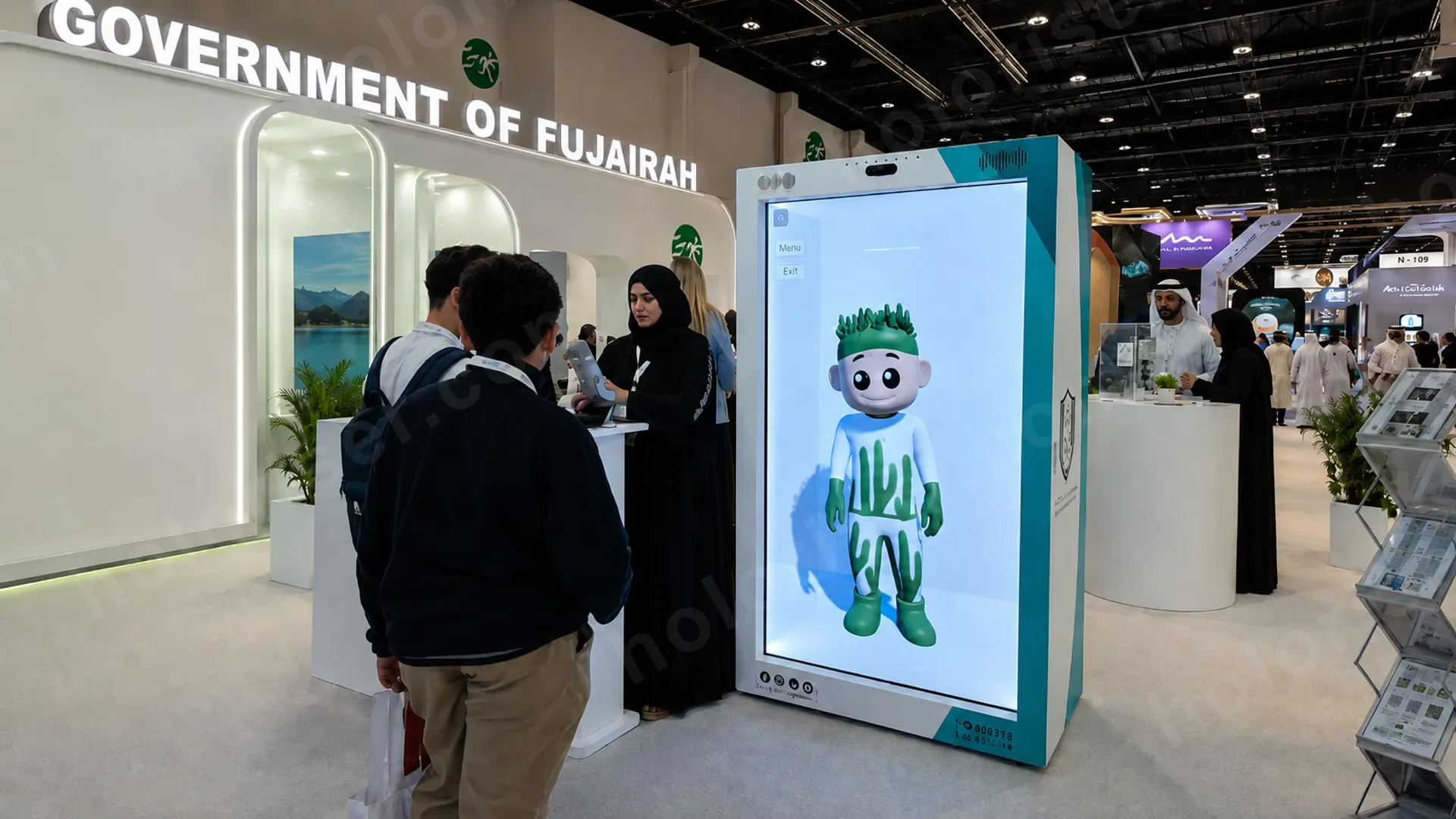
Marjan — Kids' Educational Character
A 3D interactive version of FEA's existing cartoon character Marjan, AI-powered on a 75" Holobox. She talks with children, tells stories and answers questions in simple, age-appropriate language across several languages.
Frequently Asked Questions
Common questions we get from clients
What's the difference between AR and VR?
VR replaces what you see with a fully digital world (you wear a headset and you're "inside" the experience). AR keeps the real world visible and overlays digital content on top of it through a phone, tablet, or AR glasses. Same toolbox, very different feeling. We help pick the one that fits the use case instead of pushing whichever is trendier this year.
Do users need special equipment?
It depends on the format:
- VR: a Meta Quest, HTC Vive, or similar headset (we can supply rentable kits for events)
- AR mobile: any modern phone with the AR app installed
- WebXR: just a browser, no install — lowest friction for marketing campaigns
- Mixed reality: AR glasses or pass-through headsets for shared experiences
How long does it take to develop an AR/VR experience?
A simple AR filter or a single VR scene can be ready in 4–6 weeks. A full custom training simulation or a multi-user VR environment is typically 3–6 months end-to-end. The biggest variable is content — 3D modelling, animation, and voiceover usually take longer than the core software work.
Which platforms do you support?
Unity and Unreal Engine for VR and AR, native iOS/Android for AR mobile apps, and WebXR for browser-based experiences. For headsets we cover Meta Quest, HTC Vive, Pico, and Apple Vision Pro. If you have a target platform in mind, tell us first — it shapes the architecture.
Can the experience be shipped to clients or event attendees?
Yes. For events we usually deploy on managed Quest devices that we ship pre-loaded and reset between sessions. For consumer reach, we publish AR experiences on the App Store / Google Play, or as WebXR links you can drop in an email or QR code.
Can we measure user engagement?
Yes. We instrument experiences with analytics: time spent, paths taken, interactions completed, drop-off points. For training simulations, we also export scoring and competency data so HR or L&D teams can integrate it into their existing systems.
When should we use AR/VR vs. a Holobox?
Use AR/VR when you want a deeply personal, one-on-one immersive experience and you can give each user a device. Use a Holobox when the experience needs to be shared, walk-up, and headset-free — for foot traffic at a booth, lobby, or retail floor. Both can live in the same activation: AR/VR for the deep dive, Holobox for the queue.
Ready to enter new realities?
Let's build an immersive experience for your audience.